Learn to root Android using emulator
Introduction
What is rooting actually? How does it work? I tried to figure this out these days. Now, I know how to at least root an Android emulator including creating ROM image. Since I am using emulator only, the following explanation is only applied on emulator. I have not tested on real mobile phone.
Before I begin, the followings are my working environment:
OS: Arch Linux Packages: android-2.2 r03-2 - required for the Android platform android-sdk r16-1 - required for emulator android-sdk-platform-tools r10-2 - required for adb command
The way of data recovery
Beginning
Recently, I accidentally dropped down my 320G USB external hard disk. This make me very sad. Because I got some precious data in the hard disk. The hard disk is unable to be detected on Windows 7. Then I tried to connect with two USB ports to provide more power to the hard disk, hopefully it was detectable. Yes, it was detected. Then I immediately used
[code] CHKDSK /v /f /x f: [/code]
The real installation of Linux for dual boot
Long time ago, I tried Linux LiveCD. Then I liked it. So, from then on, I tried to run Linux on VirtualBox. However, running Linux on VirtualBox requires a lot of memory, and it is not a real OS, the feeling is so bad. Until one day, I came to Wubi Installer, this is really great, computer with a dual boot without losing Windows. Wubi is for Ubuntu, and mint4win is for Linux Mint.
Add another Google Search plugin to Linux Mint Firefox
When I run Firefox of Linux Mint, using the default Google Search from the search bar, it shows an old fashion search result. We can add search engine plugin manually. When we visit Facebook, Youtube, etc, there is a highlight on the search bar icon, click it we can add our own search engine. However, when we visit Google Search, it does not highlight the icon. Then, how?
- Visit searchplugins.net.
- Enter " http://www.google.com/#q=TEST " (without quotes) for Search URL
- Enter “My Google” (without quotes), or whatever name you want, but not the name already existed in Firefox search engines
- Click “Create Plugin”
- Then, you will see that your search bar icon is highlighted.
- Add the search engine plugin to your Firefox.
With that, we can use the new fashioned Google Search engine in Linux Mint.
From Ubuntu to Xubuntu on HP Mini
Yes, again. HP Mini 1000 series, small screen, lightweight, RAM is not big. I like Ubuntu Desktop Edition, though there is Ubuntu Netbook Remix, it is not my favourite. Because I use the netbook just like a desktop, got a lot of developers’ tools, GIMP, etc.
Ubuntu, using GNOME as the desktop environment. I like GNOME because I like GTK+. I like GTK+ because I like C programming. Then, I read an article about Xfce, which is more lightweight thant GNOME. Which is also using GTK+. So I tried it.
Ubuntu Netbook Remix USB detection
As a newbie to Linux, using Ubuntu Netbook Remix gave me some trouble. Because I found that, when I plug in the USB pendrive, there is no response. So I cannot mount it manually, and there is no information in /dev drive.
Search for a long time for the solution, study a lot, read the forum. I found some solution like “udev”. However, I already installed udev, but there is no detection found. Finally I join Ubuntu IRC to ask for information, but there is no solution yet.
Ubuntu Netbook Remix HP Mini 1109TU Wireless network driver
The problem I faced on UNR on HP Mini 1109TU is the Wireless Network driver. The Wireless device of HP Mini 1109TU is Broadcom Corporation BCM4312 802.11b/g.
After the installation of UNR Karmic (9.10), there is no Wireless Network support. I cannot access internet with WiFi. So, the network cable is needed for internet connection.
I have tried several ways to enable the Wireless Network driver. First, run the System > Administration > Update Manager to update everything (remember to find the fastest repositories). After everything is updated, reboot Ubuntu.
Ubuntu Netbook Remix part 2
After a long time, I successfully setup the Ubuntu Netbook Remix to access the Wireless Network Connection (WiFi). Next post I will share about what I have experienced. The following is the screenshot of UNR:
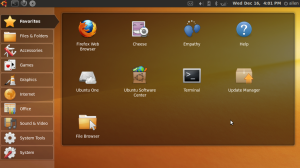
I haven’t tried Windows 7. But I am satisfied with Windows XP. And now I got Ubuntu, and experience a new different OS. Good feeling! Feeling good!

Trying Ubuntu Netbook Remix
HP Mini 1109TU, Small and light. But netbook is not laptop, the screen resolution is smaller. Thus, cannot play some of the games. That is why there is HD (High Definition) HP Mini.
Since my netbook have most of the software similar to my laptop, yet it cannot play the games like my laptop. The function of the netbook just become a redundancy yet deficiency. Since my works are primary done using my laptop, so I want to make something special to my netbook.
The Windows Installer service could not be accessed
I always got this type of message in Windows XP when installing with MSI:
The Windows Installer service could not be accessed
But this occurs on my friend’s PC. So, I tried to start the service Windows Installer service. And the message shown:
Could not start the Windows Installer service on Local Computer.
Error 1053: The service did not respond to the start or control request in a
timely fashion