Vim
Because of the new working environment, I cannot use my favourite customised Emacs to work. So, I have to adapt with the new text editor. Luckily, vim is available in the remote server. That means I can use SSH to run the vim. And, even Emacs is available, I feel difficult to customise and install the packages I need, because I don’t have experience installing Emacs’ packages using text-based UI. (But if it is available, I may make a try.)
On the other hand, vim is a little different. vim is more tend to text-based UI, though there is a GUI version called GVim. In order to familiarise with vim, I also did some customisation on it, especially the key binding (hotkey) which is, totally not user-friendly by default. So, I share my ~/.vimrc with this post.
" Settings
set tabstop=4
set shiftwidth=4
set expandtab
set ai
set ic
set wrap
set lbr
set showcmd
set autoread
set list
set listchars=eol:↵,tab:→·,space:⋅
set whichwrap+=<,>,h,l,[, ]
"set nu
set display+=lastline
colorscheme ron

filetype plugin on
syntax on

" Navigate
vmap <Down> gj
vmap <Up>   gk

" This will be overridden by YouCompleteMe, so need to have alternave solution
imap <Down>   <C-o>gj
imap <Up>     <C-o>gk
imap <C-Down> <C-o>gj
imap <C-Up>   <C-o>gk
nmap <Down>   gj
nmap <Up>     gk

" Select
nmap <S-Up>    v<Up>
nmap <S-Down>  v<Down>
nmap <S-Left>  v<Left>
nmap <S-Right> v<Right>
nmap <S-Home>  v<Home>
nmap <S-End>   v<End>

imap <S-Up>    <C-o>v<Up>
imap <S-Down>  <C-o>v<Down>
imap <S-Left>  <C-o>v<Left>
imap <S-Right> <C-o>v<Right>
imap <S-Home>  <C-o>v<Home>
imap <S-End>   <C-o>v<End>

vmap <S-Up>    <Up>
vmap <S-Down>  <Down>
vmap <S-Left>  <Left>
vmap <S-Right> <Right>
vmap <S-Home>  <Home>
vmap <S-End>   <End>

" Remap the delete key, so that will not override the register for pasting
vmap <Delete>    "_x
vmap <Backspace> "_x

" For the characters like newline (if shown with list)
highlight NonText    guifg=#333333 guibg=#000000 ctermfg=darkgrey

" For special key like whitespace and tab
highlight SpecialKey guifg=#333333 guibg=#000000 ctermfg=darkgrey
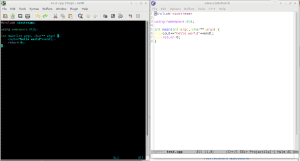 Best ever text editors: (g)vim and emacs