Simple music generator
I just revived my very old hobby project, Musgen.
I was interested in artificial creativity, was intended to advanced my study of doctorate on this topic. However, due to lack of the expertise in the local universities, I didn’t advance my study on artificial creativity.
Imagine that, if I can generate musics, then I can create my own game with any random background musics.
Hades (game) cheat
If you feel that Hades is too difficult to play, and want to cheat, can try the following patch in Content\Scripts.
https://gist.github.com/allencch/34feef6953a03680938ba186ff8f2f23
Wine tips
To play Windows games on Linux, Wine is necessary. Even Steam Proton is also based on Wine.
To play most modern Windows games, I will suggest NVidia graphic card as the hardware requirement. Without good graphic card, a lot of 3D games are not able to render properly. Moreover, some pixelated games perform better with NVidia graphic card.
Winetricks
In my opinion, to configure Wine to the best compatibility, we need to install several libraries (DLLs) using winetricks.
Solution on Evernote login issue
I faced the login issue with Evernote since around two weeks ago. It leads me to a blank page, with the HTTP status code 418. There is similar issue reported here. I made the bug report, but the issue not yet solved. Looks like it happened in Malaysia and Vietnam according to the forum. Suggested solution in the forum was to use VPN.
This is how I solved the issue as a temporary solution to login.
Med (Linux memory editor) version 3.6.1
I released version 3.6.1 for my hobby project, Med (Linux Memory Editor). There are several great changes in UI (since 3.5), especially the larger window, due to more components in the UI.
Named scans
Now it supports named scans (the bottom part of the window).

I create this named scans feature because sometimes I need to scan for several values of interested. For example, a game character A’s experience point and character B’s experience point. By using named scans, I can scan these two values without destroying the scan result of each others. This makes my (game cheating) life become much easy.
Med: Experimental feature
I just tested with my new experimental feature for Med (Linux Memory Editor) on Sea Dogs, i.e. Custom Scan.
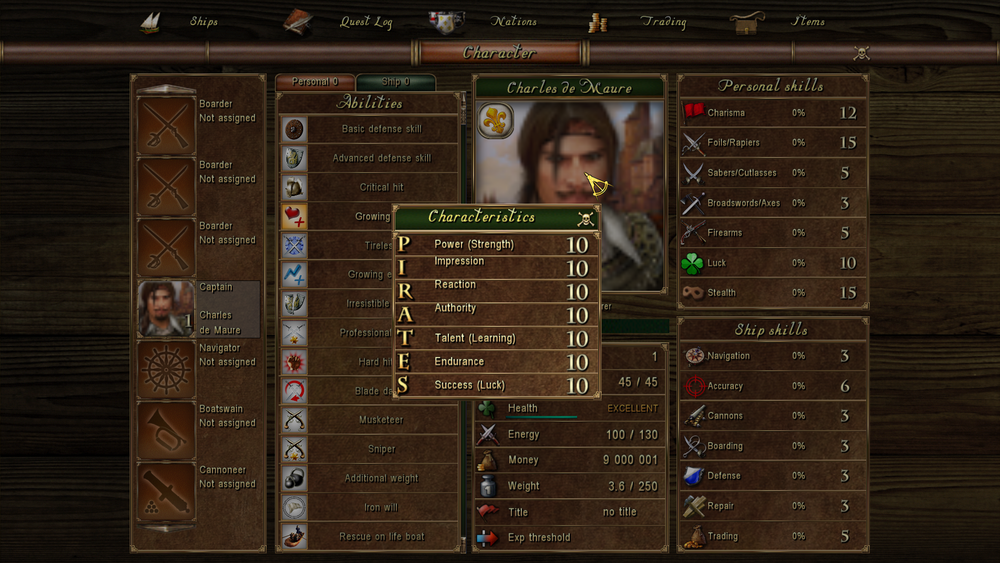
Sea Dogs is very difficult to do memory editing, as the values are stored in string. Luckily someone wrote a superb guide on how to do memory editing, which can be found here.
But the problem is that, the guide is written for CE (Cheat Engine). Unfortunately, CE is for either Windows or Mac. And to cheat in Sea Dogs, need to use “Group Search” feature of CE. WTF is Group Search?
Brave and Chromium
I have switched my primary web browser to Brave. But also found that Chromium (or any alternative web browser) is necessary. Since I am a software developer, sometimes need to implement ads related feature. Brave will block ads by default. That’s why I need an alternative web browser that I can freely to turn off the adblock. Though I can turn off the adblock in Brave, it will affect my browsing experience. As a result, using an alternative web browser for development on ads related feature is necessary.
Brave or Chromium
I am in dilemma of choosing Brave or Chromium as my default browser.
The following is my comparison,
| Chromium | Brave | |
|---|---|---|
| Arch Linux official repo | Yes, in Extra | AUR |
| Sync | Sync a lot of things, including tabs, history, compatible to Google Chrome | Sync bookmark only |
| AdBlock | Require extension, such as uBlock Origin | Built-in adblock, but leads to difficulty to customize blocking certain HTML elements. Adblock also breaks some anti-adblock sites. But adblock works on mobile version on both Android and iPhone |
| Start | Fast start | Slower than Chromium, because it runs pacman (Arch Linux package manager) to check pepper-flash. |
| Privacy | Nothing special | Built-in Tor feature for private browsing with Tor |
I am still continue using Brave, because I prefer Brave over Firefox on Android. In order to conform with Brave on Android, I choose Brave on desktop.
Microsoft To Do
In my previous post, I mentioned I migrated Wunderlist to Microsoft To Do.
However, there are two annoying things. Firstly, do not expect there will be Chrome App version of Microsoft To Do similar to Wunderlist and Google Keep, because Chrome Apps is going to be discontinued.
Secondly, I frequently experienced To Do web page doesn’t load properly, either stuck at the loading page, or the tasks not showing or showing partially.
Brave browser
I wrote a post about Brave recently, and found that Brave browser is interesting. So, I am switching to Brave from Chromium for a trial.
A brief introduction about Brave: Brave is developed by Brave Software, which is founded by Brendan Eich, creator of JavaScript and former CEO of Mozilla Corporation. Firefox is the product of Mozilla Corporation. However, Brave is built on Chromium, the open source project for Google Chrome. So, I personally perceive Brave as the Chromium with the soul of Firefox. That is why, it makes Brave different from Chromium and Firefox.