Installing Flash plugin in Linux
I tried to install Flash in Ubuntu. But there is a problem when installing “flashplugin-installer”. I cannot finish download the installation file from Ubuntu server. So, I tried alternative way to install Flash plugin.
I go to Adobe website, and download the Debian package. Then
sudo dpkg –install [filename].deb
Right, now can view Flash in web browser.

USB flash drive partition on Linux
Previously on booting PC-BSD through USB flash drive, I mentioned that I used Linux to perform “dd” operation towards the pendrive.
Yesterday, I just found that, my 8G pendrive now only 2G. There are 6G storage missing. I used Windows’ Disk Management Utility to check, then I found that there were two partitions in USB pendrive. And we know that, we cannot perform partitioning in Windows platform. Try to search from Internet about some information for partitioning USB pendrive, but none of them works.
Difficulties for installing PC-BSD
I like Unix philosophy. I like open source. I want to install PC-BSD to my netbook, but finally I realised that I failed to do so. I have tried several ways, then I give up now.
Actually, I preferred to install FreeBSD. But FreeBSD is targeted for server, so I choose PC-BSD. And PC-BSD has GUI installation, which makes everything easier (I tried it on VMware). So, I downloaded DVD ISO image. Then, I tried to use UNetbootin, since the site mentioned that it supports to create LiveUSB for FreeBSD 6.3 and 7.0. I assumed that it can also support for PC-BSD which is based on FreeBSD. However, I failed.
gparted from Parted Magic
The story continues from my previous post.
I used Parted Magic to perform the partition tasks. However, I found that Kingston DataTraveler 2.0 USB Device cannot boot as LiveUSB. It cannot find pmagic-4.5.sqfs. And even Parted Magic 4.8, there is something like dev_list cannot be found. But, there is no problem for Kingston DT 101 II USB Device. Weird!
Okay, after I delete E: F: and resize D: to occupy the space. But in Windows, I found that the D: properties show that the space is still the same. But in Disk Management utility, the space is already used for D:. I tried CHKDSK, the problem still there. Then I remember a phrase from a movie:
GRUB problem
Playing around my HP Mini Netbook with different OSes really troublesome.
Today, I am trying to install PC-BSD on my netbook. But before I install PC-BSD, I need to make some space for it. And according what I read,
Be aware that BSD operating systems, and hence PC-BSD, only recognise primary partitions and consider any logical partitions as a whole primary partition. Trying to install on a logical partition will convert your extended partition into a primary partition and erase all logical partitions of your system. PC-BSD can be installed on any primary partition; it doesn’t necessarily have to be on the first one. [PC-BSD guide]
Ubuntu Netbook Remix USB detection
As a newbie to Linux, using Ubuntu Netbook Remix gave me some trouble. Because I found that, when I plug in the USB pendrive, there is no response. So I cannot mount it manually, and there is no information in /dev drive.
Search for a long time for the solution, study a lot, read the forum. I found some solution like “udev”. However, I already installed udev, but there is no detection found. Finally I join Ubuntu IRC to ask for information, but there is no solution yet.
Ubuntu Netbook Remix HP Mini 1109TU Wireless network driver
The problem I faced on UNR on HP Mini 1109TU is the Wireless Network driver. The Wireless device of HP Mini 1109TU is Broadcom Corporation BCM4312 802.11b/g.
After the installation of UNR Karmic (9.10), there is no Wireless Network support. I cannot access internet with WiFi. So, the network cable is needed for internet connection.
I have tried several ways to enable the Wireless Network driver. First, run the System > Administration > Update Manager to update everything (remember to find the fastest repositories). After everything is updated, reboot Ubuntu.
Ubuntu Netbook Remix part 2
After a long time, I successfully setup the Ubuntu Netbook Remix to access the Wireless Network Connection (WiFi). Next post I will share about what I have experienced. The following is the screenshot of UNR:
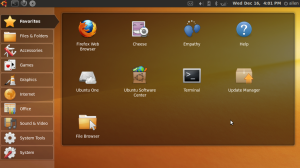
I haven’t tried Windows 7. But I am satisfied with Windows XP. And now I got Ubuntu, and experience a new different OS. Good feeling! Feeling good!
Trying Ubuntu Netbook Remix
HP Mini 1109TU, Small and light. But netbook is not laptop, the screen resolution is smaller. Thus, cannot play some of the games. That is why there is HD (High Definition) HP Mini.
Since my netbook have most of the software similar to my laptop, yet it cannot play the games like my laptop. The function of the netbook just become a redundancy yet deficiency. Since my works are primary done using my laptop, so I want to make something special to my netbook.